Six Artworks, Zero Brushes: What Happened When I Asked an AI to Make Art With Code
I typed one sentence: “Create an elaborated, high quality, high resolution, artistic image programmatically.” A few minutes later I had a 24-megapixel print of glowing threads swirling around an invisible vortex.
No brush touched it. No image generator produced it. Every pixel came from a Python program that an AI wrote, ran, looked at, criticized and rewrote on its own.
So I kept going. Over five more short prompts, most of them fewer than ten words, we ended up with six finished art prints. Each uses a different medium, a different piece of mathematics and a different mood. This article is the story of how they were made, in plain language.
The rules of the game
Most people now know AI image generators: you describe a picture and a model paints something that looks like it. This experiment was different.
Here, the AI had to write code that computes the image. Think of the difference between asking someone to paint a snowflake and asking them to write down the physics that grows one. The second is harder, but every result is explainable, repeatable and adjustable down to a single number.
These were my prompts, in full:
- “Create an elaborated, high quality, high resolution, artistic image programmatically.”
- “Do one more with a completely different concept.”
- “Two more, one with the Lorenz chaos system and one with fractals.”
- “Be creative and create another one full of bright colors.”
- “Surprise with a new one.”
Everything else, from the concept and palette to the mathematics, composition and even the title on each print, was the AI’s call. Before writing any code, it wrote a short “design philosophy” for each piece, then built toward it. The tools were ordinary: Python with NumPy, SciPy, Pillow and, for the heavy maths, Numba.
Plate I: Luminous Currents — painting the wind
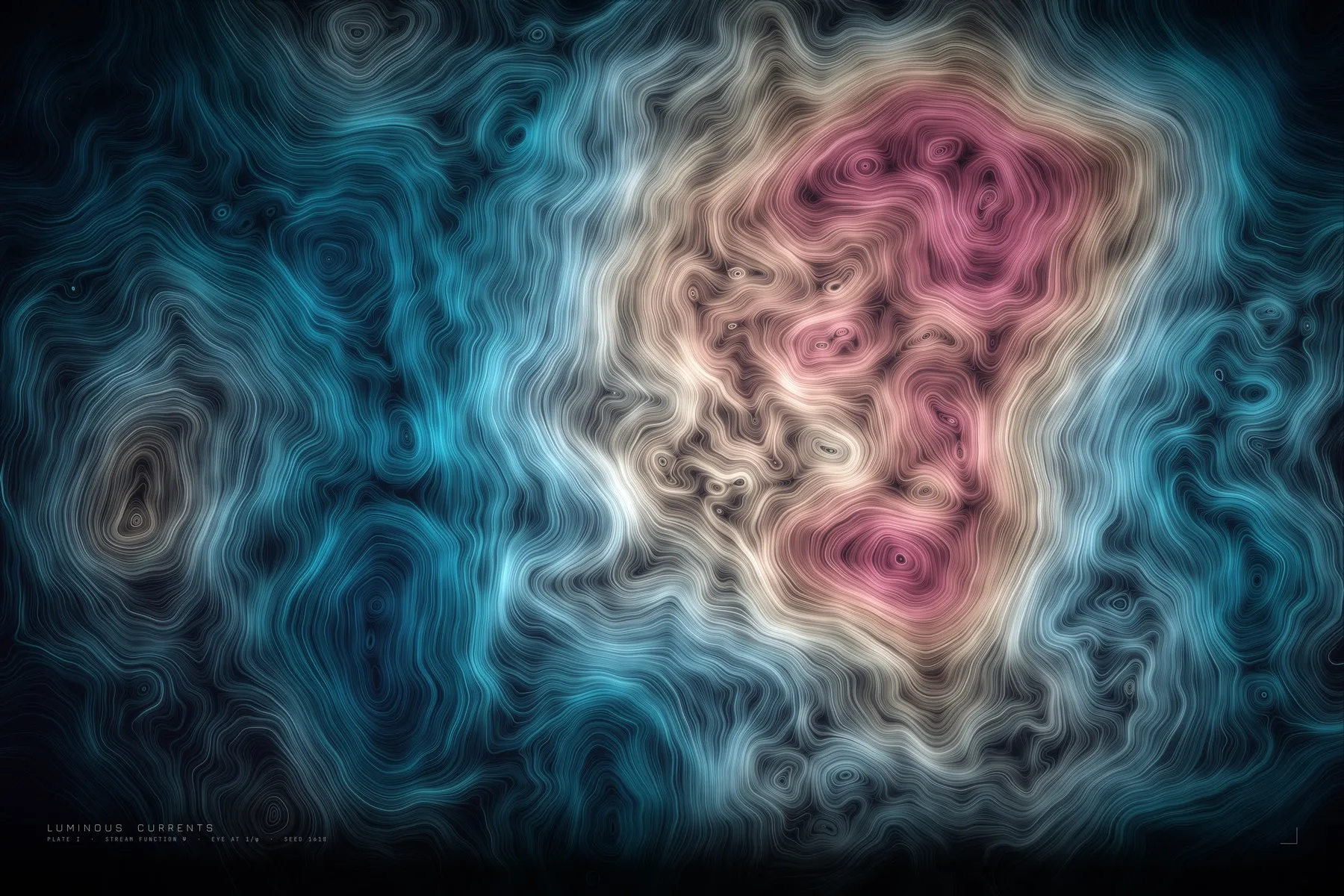
Imagine sprinkling 115,000 grains of glowing dust into an invisible wind and photographing their paths with a long exposure. That is essentially what the code does.
First it invents the wind: layers of smooth random noise, plus one slow whirlpool placed on the golden ratio of the frame. It uses a mathematical trick (the “curl” of a field) that guarantees the flow never bunches up or collides, which is why the lines look like marbled silk rather than tangled string.
Then each particle follows the flow for hundreds of tiny steps, leaving a trail of light. Where trails overlap, light adds up and glows, like real long-exposure photography. A final pass adds bloom, film grain and a vignette.
The first draft was busy and flat, with no focal point. The AI noticed this in its own preview, strengthened the central vortex, thinned the particles near the edges to let the image breathe, and rendered again. That habit of making, looking and fixing turned out to be the real engine of the whole project.
6000 × 4000 pixels, about 55 seconds to render.
Plate II: Late Frost, Early Bloom — a tree that grows itself
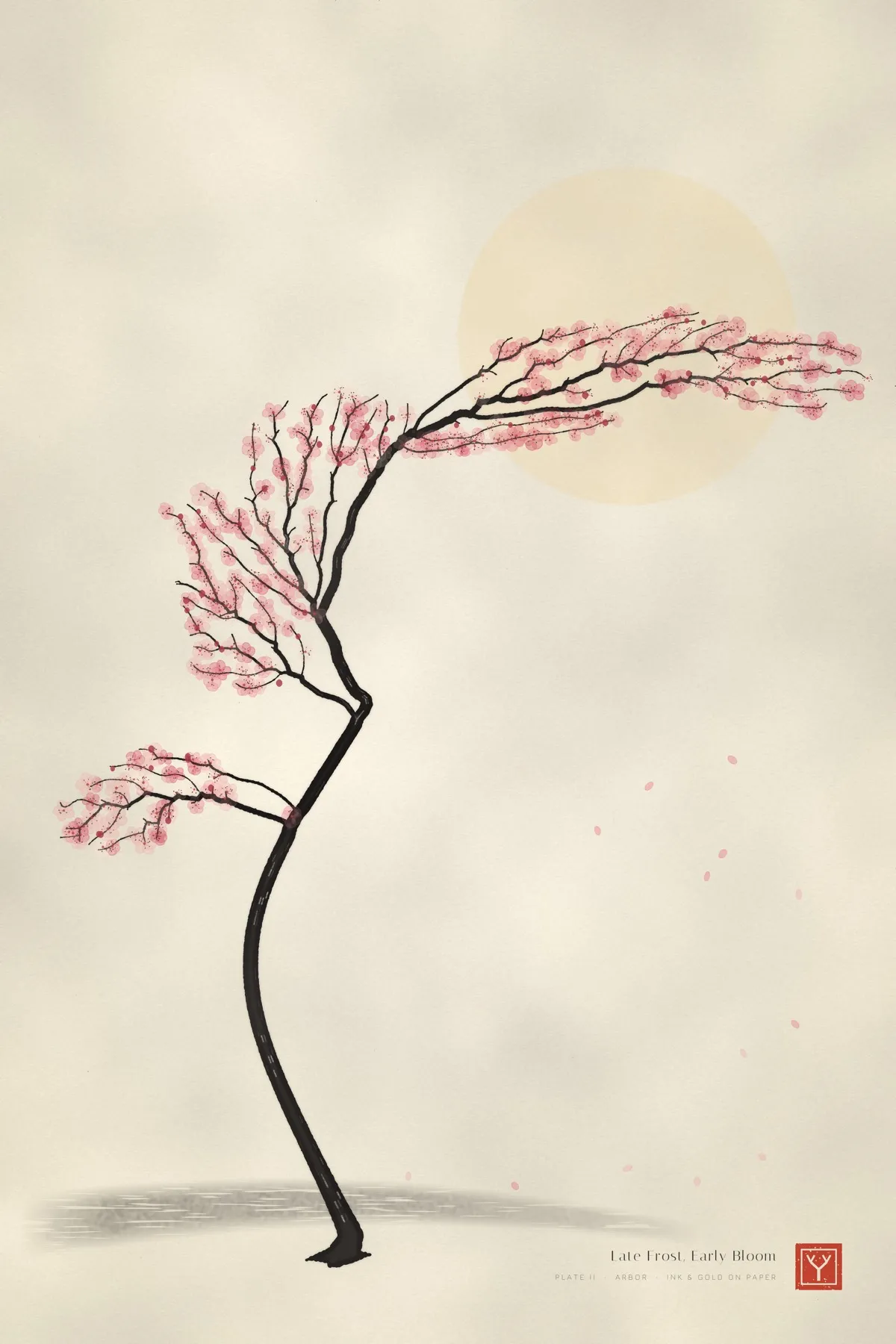
Asked for “a completely different concept”, the AI flipped everything: light paper instead of darkness, ink instead of light, and a single subject instead of an abstract field. The result is a windswept plum tree in the style of East Asian ink painting, with blossoms, a pale gold moon and a red seal.
The tree was not drawn. It was grown with an algorithm biologists use to model leaf veins and tree crowns, called space colonisation. Imagine scattering a few thousand invisible seeds of light in the shape you want the crown to take. Branches creep toward the nearest seeds, and each seed disappears once a branch reaches it. What emerges is a natural branching structure no one designed.
Branch thickness follows a rule Leonardo da Vinci wrote down about real trees: a branch is roughly as thick as all its children combined. That single rule is why the taper from trunk to twig looks right.
The first attempt looked like a noodle with red specks. After two rounds of critique, the AI thickened the trunk, gave it roots, enlarged the 420 blossoms into soft watercolour washes, and simulated ink details such as ragged edges that follow the paper fibres and “dry brush” streaks along the trunk.
4000 × 6000 pixels, about 30 seconds.
Plate III: Sensitive Dependence — the butterfly effect, as a blueprint
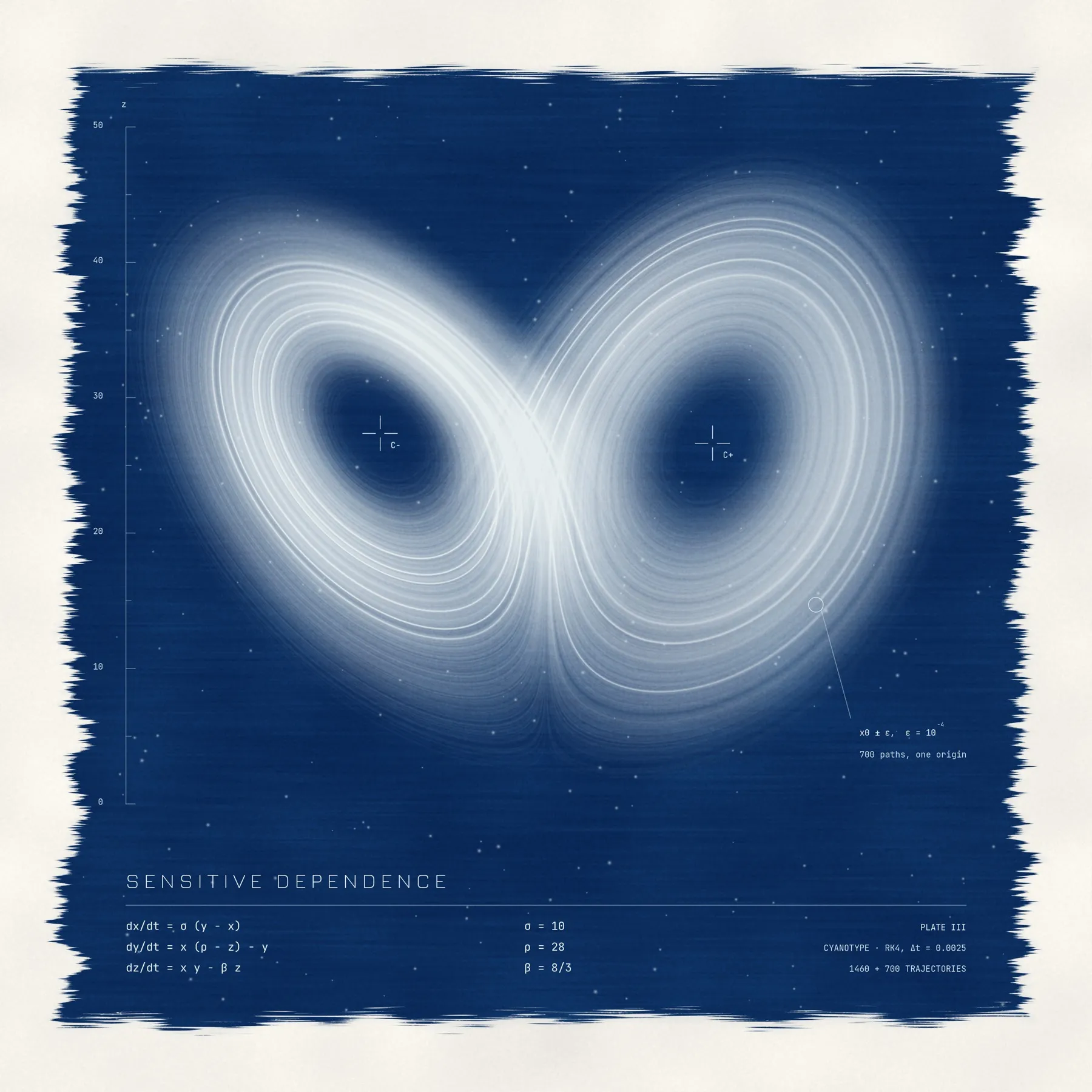
In 1963 the meteorologist Edward Lorenz found that three simple equations describing air convection behave in a startling way. The system is fully deterministic, yet two starting points that differ by a hair end up in completely different places. This is the origin of the “butterfly effect”, and when you plot the system’s path it traces a shape that looks like a butterfly’s wings.
The AI chose to render it as a cyanotype, the 19th-century blueprint process in which sunlight turns iron-coated paper Prussian blue. The attractor appears as pale lines on deep blue, as if it had cast a shadow on the paper. The code even simulates hand-brushed edges, bristle marks and undeveloped specks.
The most interesting part is the story hidden inside. The code launches 700 paths from the same point, separated by one ten-thousandth. They travel together as one bright thread, then fray apart across both wings. To make that visible, the AI searched the attractor for the spot where nearby paths separate fastest, rather than picking one at random. Behind that thread, about 1,460 other paths fill in the shape, and a simulated lens blurs the far ones to give depth.
5400 × 5400 pixels, under a minute.
Plate IV: Filigree — infinite jewellery from one line of maths
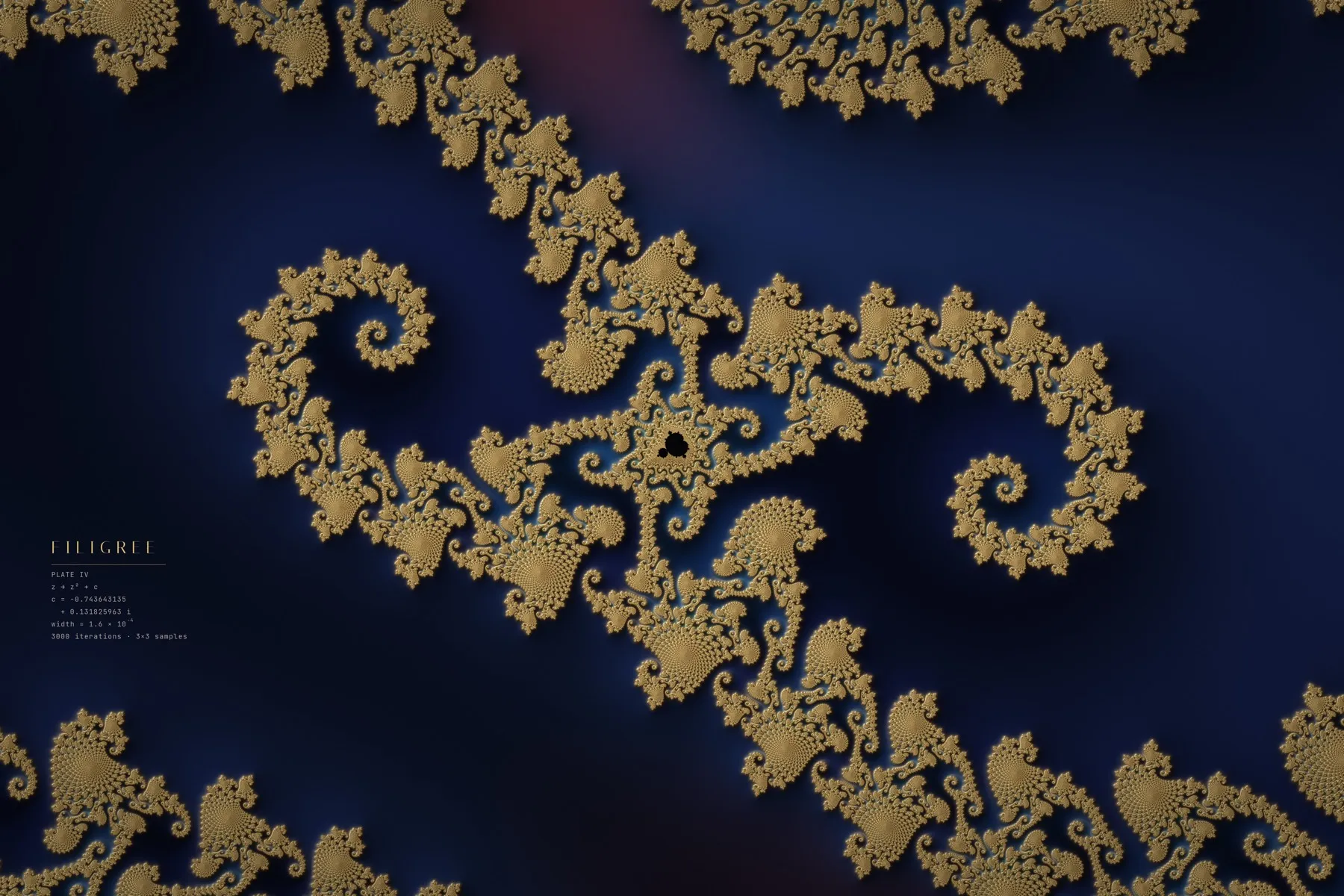
The Mandelbrot set comes from a rule you could fit on a sticky note: take a number, square it, add a constant, repeat. Depending on the constant, the result either stays small forever or flies off to infinity. The border between those two outcomes is endlessly intricate, no matter how far you zoom.
The AI treated that border like a goldsmith’s wire. It zoomed deep into an area known as Seahorse Valley and compared a few candidate views before choosing one where two spiral arms balance around a tiny copy of the whole set. Then it rendered the border as raised gold on a lapis-blue enamel background.
The gold’s shine is real maths, not a texture. For each point, the code estimates how far it is from the border, which sets the width of the gold, and in which direction the border lies, which becomes a surface angle for virtual lighting. That is how a flat equation ends up with highlights, shadows and a soft shadow cast on the enamel.
Each pixel averages nine samples to keep every filament crisp: 216 million calculations, each repeated up to 3,000 times.
6000 × 4000 pixels, about 3 minutes.
Plate V: Superbloom — a printing press in software
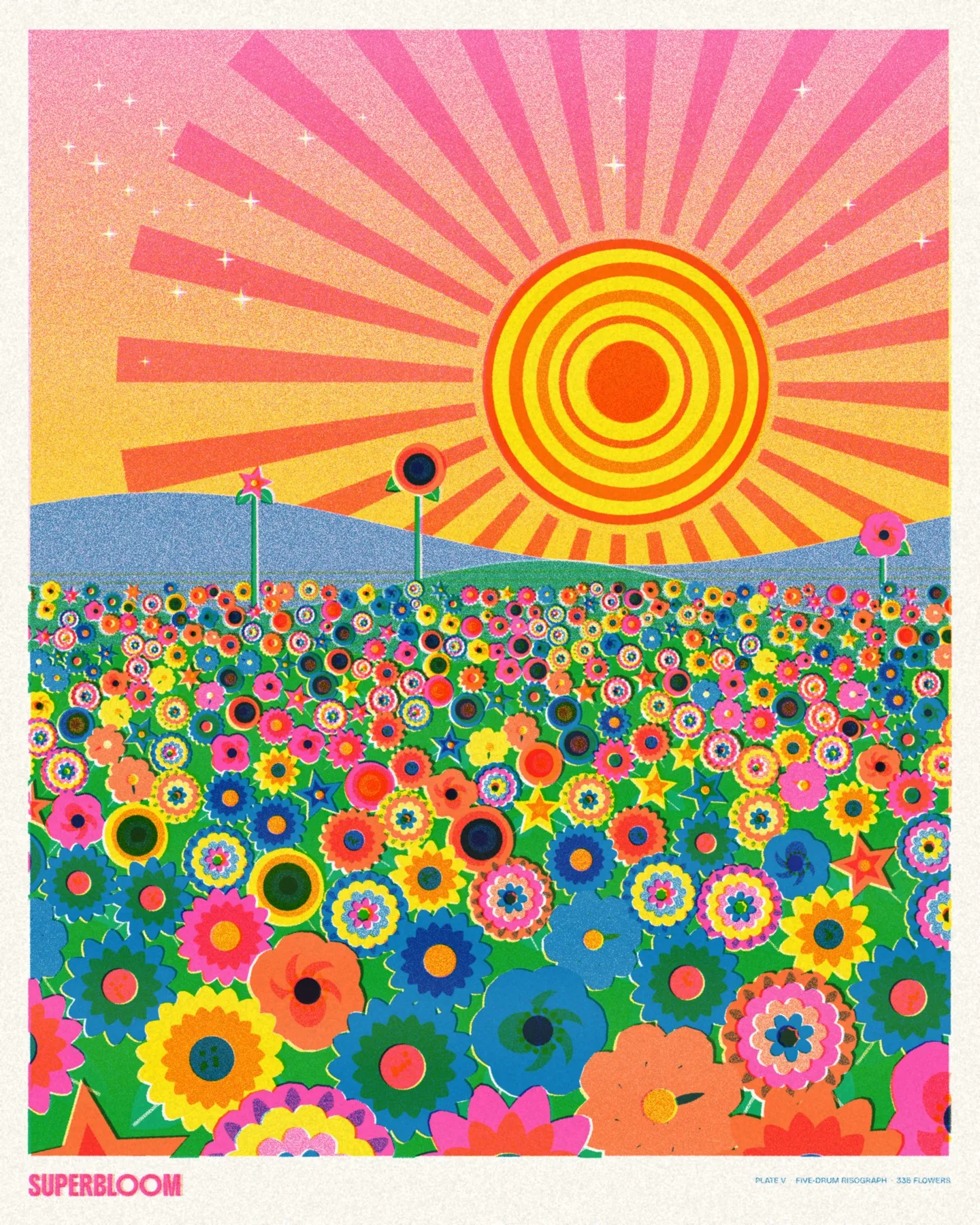
When I asked for bright colours, the AI reached for the most cheerful machine in printmaking: the risograph, beloved by zine makers and poster artists. A riso prints one ink colour at a time, and the inks are translucent, so they mix where they overlap.
The code simulates exactly that. It uses five ink “drums” (fluorescent pink, yellow, orange, blue and green), each a separate layer multiplied together like real ink on paper. Colours that no drum contains, such as coral, violet, tangerine and teal, appear only where layers cross.
The scene is a desert superbloom: a banded sun and sunburst, rolling hills, and 336 flowers packed tighter and larger toward the viewer. Every flower is an individual from six invented species (daisy, poppy, pompom, star, bullseye and cosmos), each with its own petal count, rotation and ink recipe.
The charm is in the imperfections, added on purpose: visible grain in light tints, speckles in solid areas, faint roller streaks, and each colour layer landing slightly off-register so thin slivers of paper peek through at the edges. A too-perfect riso print stops looking like a riso print.
4800 × 6000 pixels, about 45 seconds.
Plate VI: Ebru — marbling, computed backwards
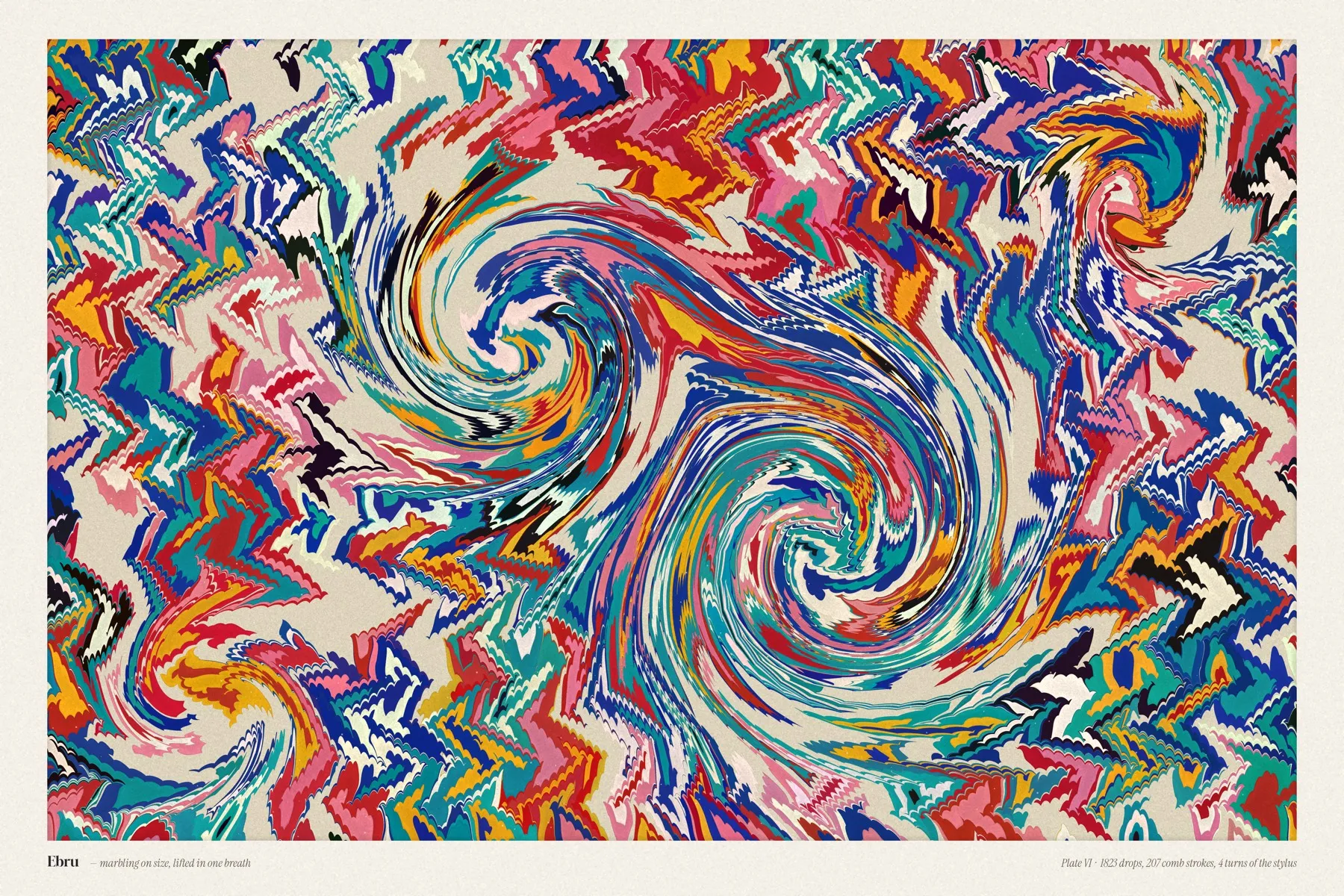
For “surprise me”, the AI picked ebru, the centuries-old Turkish art of paper marbling. A marbler drops paint onto thickened water, where each new drop pushes the earlier ones outward without mixing. Combs and a stylus then drag the surface into stripes, chevrons and swirls, and a sheet of paper is laid down to lift the pattern in one go.
The code performs the same gestures in the same order: 1,823 drops of paint, 207 comb strokes and four turns of the stylus, 912 operations in all. Each gesture is described by an exact formula for how the water surface moves.
The clever part is how the picture is produced. Because every one of those movements can be reversed exactly, the program takes each pixel and runs the whole performance backwards, undoing swirl, comb and drop, until it lands inside the drop of paint it originally came from. That drop decides the pixel’s colour. The result has perfectly crisp edges without any drawing at all.
It took three attempts. The first was too zigzag, the second too blocky, and the third found the balance. It is also the slowest plate, at about 11 minutes, because roughly 80 million samples each travel back through all 912 steps.
6000 × 4000 pixels.
How the work actually happened
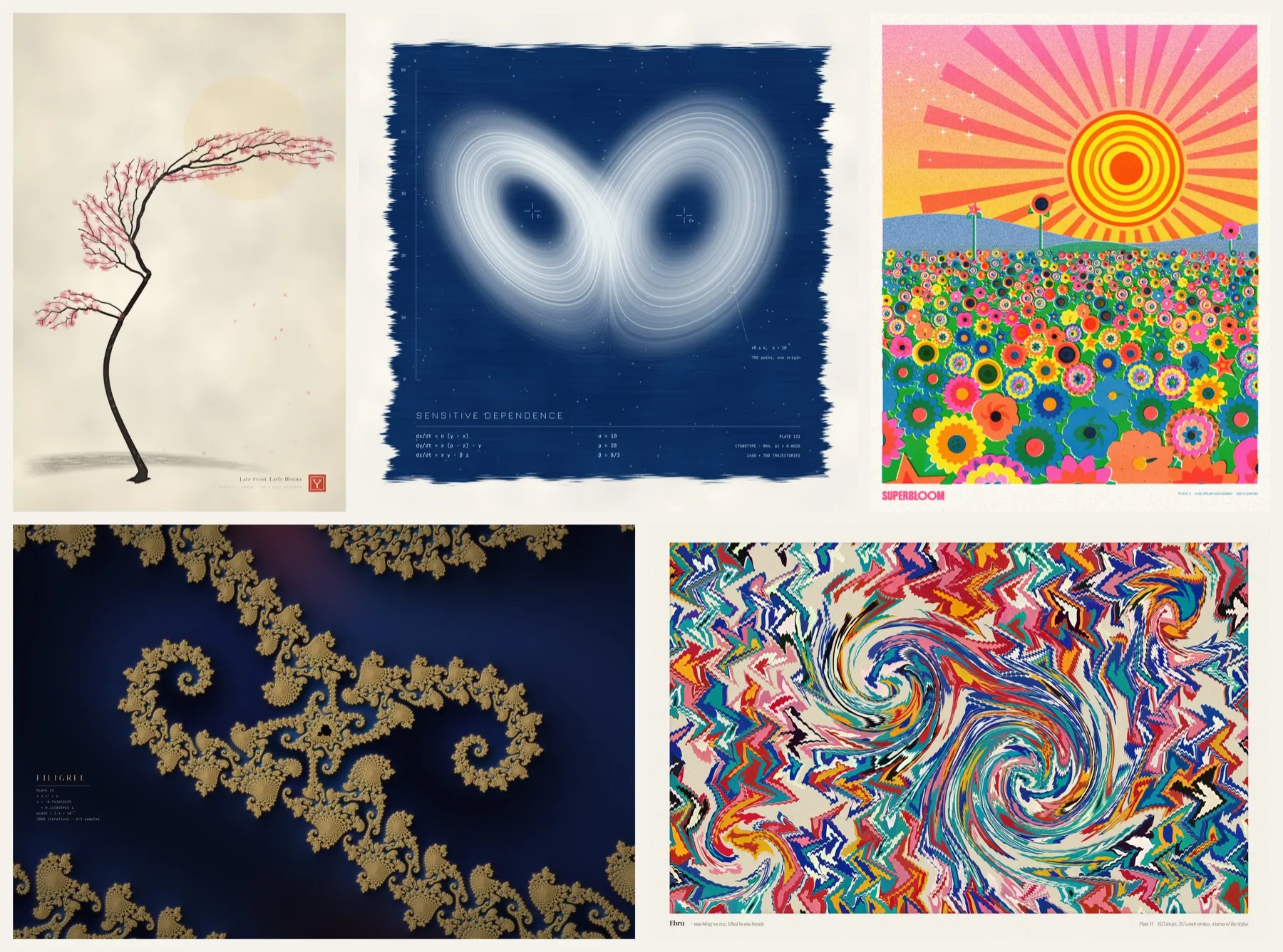
The six plates share one working rhythm, and it looks a lot like how a human artist works:
- Write the intent first. A short design philosophy covering the mood, the palette and what the piece is about.
- Build a small draft. Every piece started as a quick low-resolution render taking a few seconds.
- Look at it critically. The AI viewed its own previews and zoomed-in crops, then named the weakest points. Examples: “no focal point”, “the trunk looks like a noodle”, “the grain is too coarse”, “these late drops look like eyes”.
- Fix and repeat. Most plates took two or three rounds before the full-resolution render.
| Plate | Medium it imitates | The idea underneath | Size (px) | Render time |
|---|---|---|---|---|
| I · Luminous Currents | Long-exposure light | Particles in a flow field | 6000 × 4000 | ~55 s |
| II · Late Frost, Early Bloom | Ink and watercolour | A growth algorithm and da Vinci’s branching rule | 4000 × 6000 | ~30 s |
| III · Sensitive Dependence | Cyanotype | The Lorenz system (butterfly effect) | 5400 × 5400 | <1 min |
| IV · Filigree | Gold on enamel | The Mandelbrot set | 6000 × 4000 | ~3 min |
| V · Superbloom | Five-colour risograph | Layered ink and random placement | 4800 × 6000 | ~45 s |
| VI · Ebru | Turkish paper marbling | Reversible fluid gestures | 6000 × 4000 | ~11 min |
Two things surprised me. First, the imperfections were deliberate and carefully engineered: paper grain, misregistered ink, brush bristles, pinholes. Clean digital output looked lifeless, and the AI kept adding the “mistakes” that make a print feel real.
Second, the honest limits. The AI cannot see an image the way we do. It judges downscaled previews and crops, and some small flaws survived into the final files. It also made every creative decision itself. My role was direction, taste, and deciding what was worth sharing.
What I’m taking away
Code is a creative medium, and an unusually honest one. Every pixel in these prints can be traced back to a line of code and a number. Change one value (a “seed”) and you get a new tree, a new meadow, a new marble, and you can reproduce any of them exactly.
Short prompts can go a long way when the loop is good. The magic wasn’t in the prompt. It was in the cycle of making, looking, criticizing and fixing, repeated without being asked. That applies well beyond art: it’s what separates a tool that answers from one that works.
Mathematics is more beautiful than school let on. A 60-year-old weather model, a one-line equation and a centuries-old craft all became gallery-style prints. None of them needed a single hand-drawn stroke.
The human role shifts, it doesn’t disappear. I didn’t draw anything. But choosing to ask for “completely different”, pushing for bright colours, and deciding which six results deserve an audience are still judgment calls.
Which plate would you hang on your wall, and which would you want to see explored further?